
Brewwery
Homebrew GUI for macOS
A native Homebrew UI for macOS that puts packages, casks, services, updates, and diagnostics in one clean interface.
An open-source macOS GUI for your entire Homebrew setup. Local-first, zero config, and ready when you launch it.
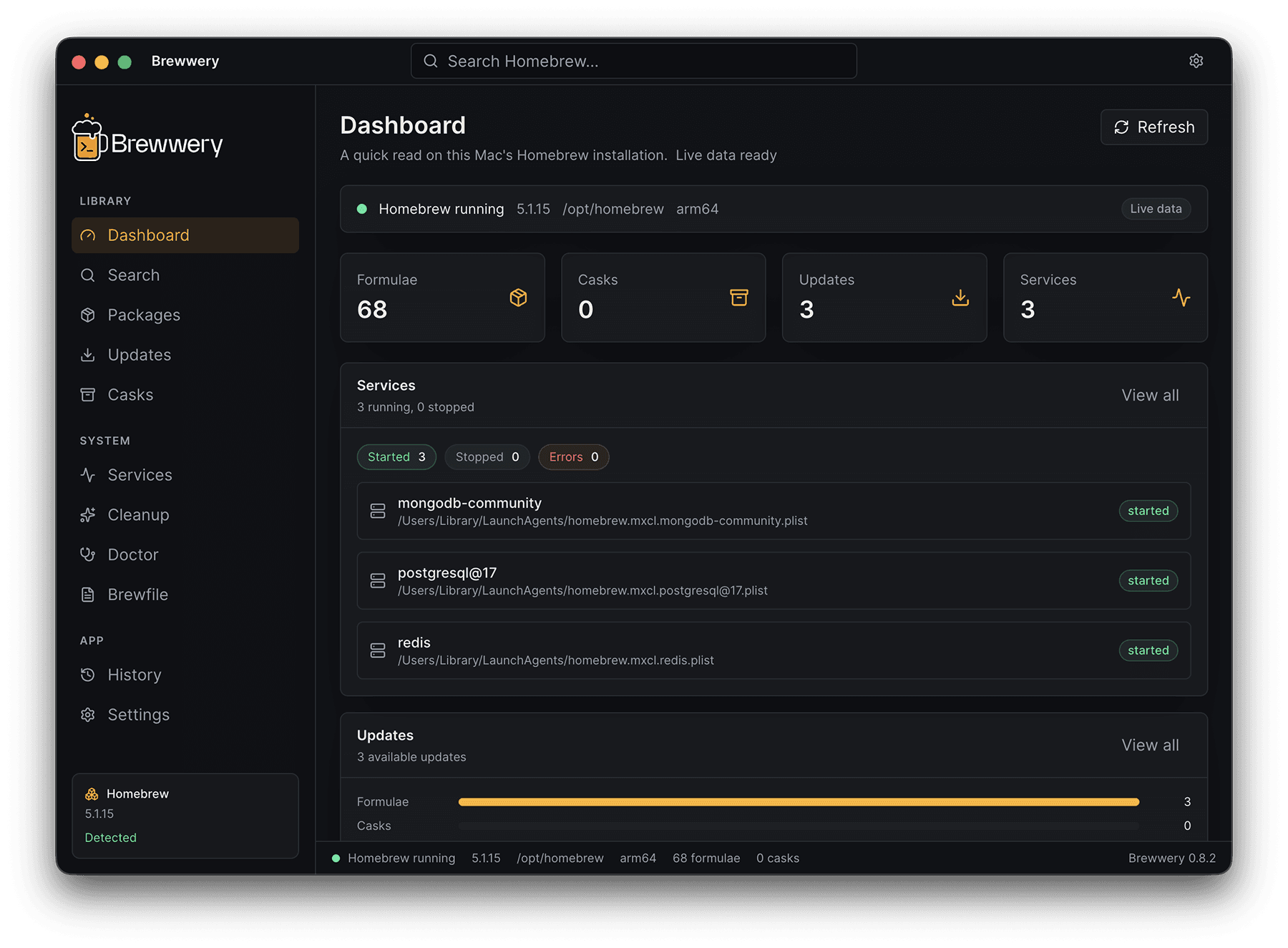
A complete Homebrew UI for macOS
Local-first. No surprises.
Typed commands only
Brewwery never starts a shell. Every action is a validated Homebrew command with checked package names.
Explicit confirmation
Mutating actions like install, uninstall, and cleanup always require user approval.
Zero data collection
No telemetry, no cloud sync, no auth, no paid logic. Everything stays on your Mac.
Where Brewwery is headed
A public look at what's done, in progress, and planned next.
Reliability & background saving
Version 1.1.1 verifies packaged build metadata, serializes Homebrew mutations, bounds command output, and saves Favorites and History off the main thread.
Native Swift rewrite
Brewwery 1.0 is a SwiftUI and AppKit app with no Electron, no web view, and no bundled runtime.
Signed, notarized & universal
Developer ID signed and notarized by Apple, running natively on Apple Silicon and Intel Macs.
Automatic app updates
Signed Sparkle updates deliver new Brewwery releases from inside the app.
Live, cancellable operations
Streamed output, fixed safety timeouts, and cancellation for installs, upgrades, services, and cleanup.
Homebrew bundle workflows
Compare a Brewfile with what is installed on this Mac and install only what is missing.
Pinned formulae
Hold a formula at its version; Upgrade all and the outdated count leave it alone.
Report a problem
A pre-filled GitHub issue or email you review and send yourself, with no background reporting.
Broader release QA
Complete hardware checks on Intel and macOS 14, plus a manual VoiceOver pass. Universal packaging checks alone do not cover these environments.
Localized app interface
German shipped in 1.1. French, Spanish, and Portuguese come next, then the other languages of this website.